
Introduction
A lot is said about the impact of technology on creative and strategic work, but few tools truly manage to transform a designer’s routine like the use of AI for design.
Here at Zup, StackSpot AI has been one of those transformative tools, especially for those working in complex contexts.
In this article, you will discover how StackSpot AI has enhanced my work as a product designer in the project I am part of, bringing more speed, accuracy, and innovation to the development of solutions.
What is StackSpot AI?
StackSpot AI is a multi-agent platform created to be used throughout the software development lifecycle. Its flexibility allows it to be adapted to the needs of different business areas.
For designers, it becomes a powerful ally, offering resources that go beyond technical development, helping to structure processes, organize information, generate insights, and even improve communication.
AI for design: how StackSpot AI transformed my routine
In the project I am part of, I used StackSpot AI to automate tasks that previously required a lot of energy and time. The most important change was the increase in intelligence within the design process, enabling more efficient and user-centered solutions.
Below, you can check the main resources that were developed and the real impacts achieved in practice.
Customized agents
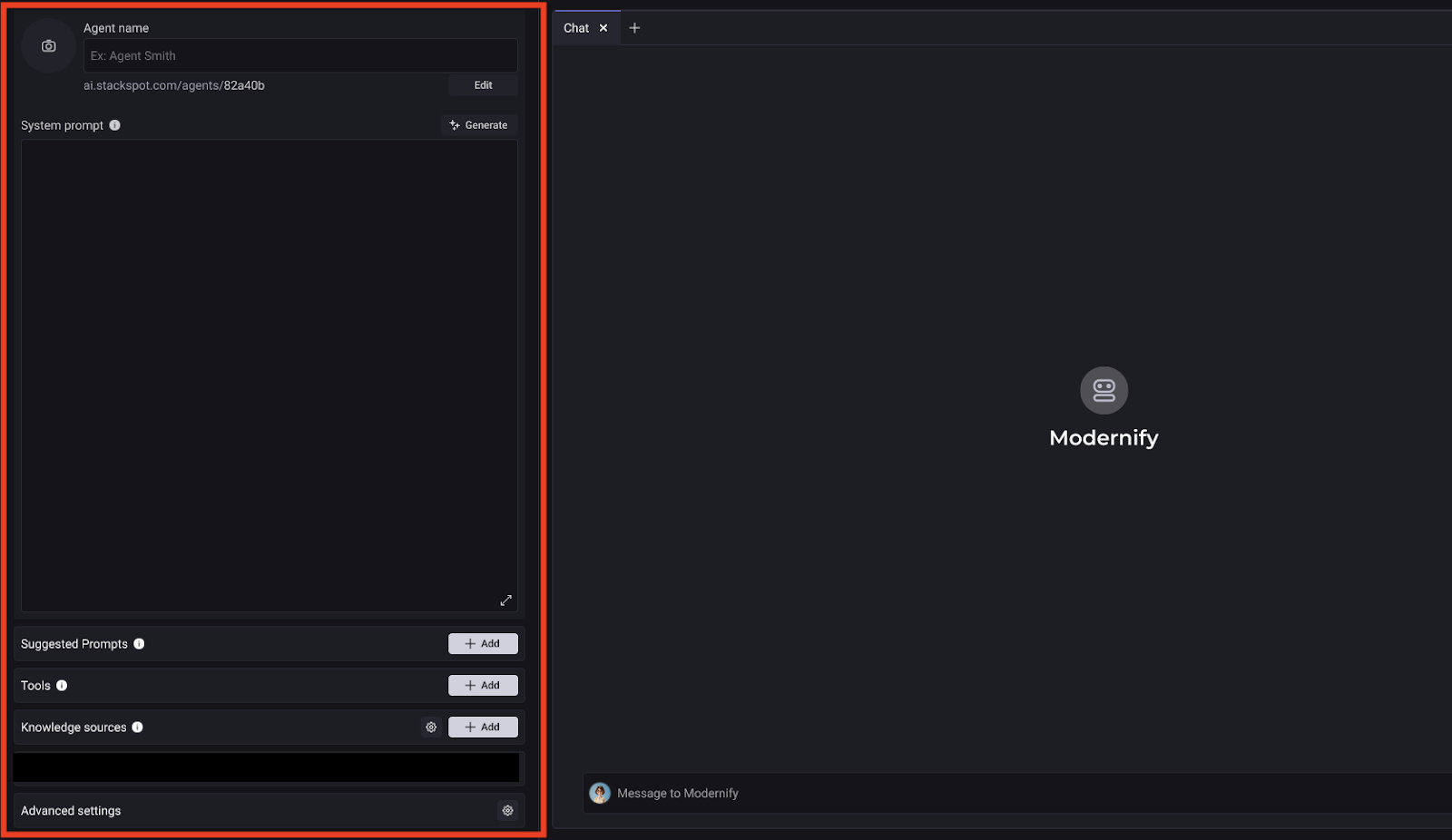
I created customized AI agents to meet the specific needs of the product design team. I configured these agents to understand the context of the industry I work in, using Knowledge Sources to ensure that the generated solutions were contextualized around the challenges we face.
The Expert Designer Agent
The Expert Designer Agent was created to operate across product design fronts within a specific industry.
This agent was configured to understand the industry context, interpreting data and helping to develop solutions that truly make sense for that market.
The agent also acts as a support tool, offering valuable insights and data-driven recommendations about common practices, market trends, and similar products.
Integrated with a specialized knowledge base, it helps designers structure processes, organize information, and improve communication with stakeholders. This ensures that the solutions developed are effective and aligned with the needs of the industry.
Specialized knowledge base
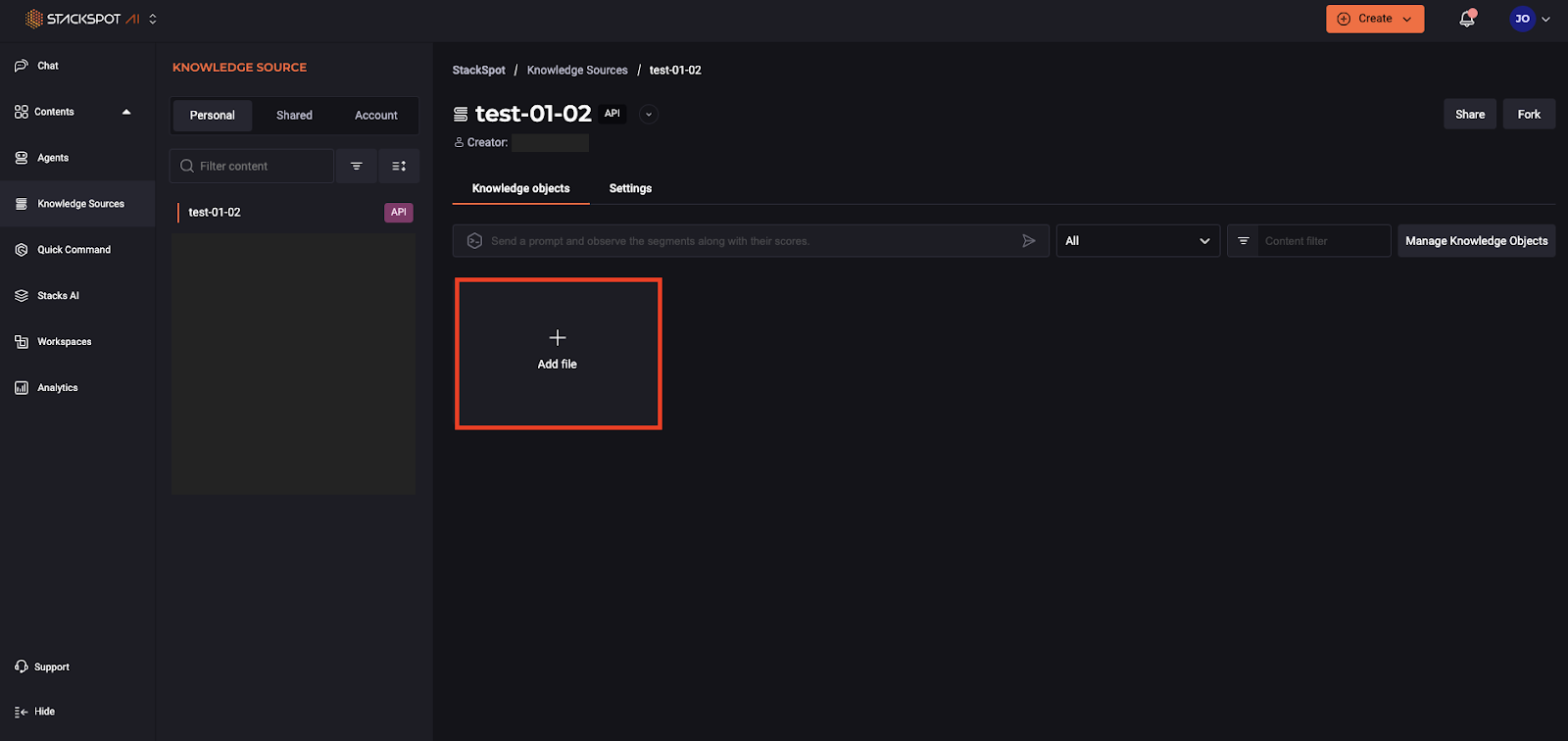
I structured a robust and industry-specific database. This base brings together up-to-date and reliable information, delivering an essential benefit: more speed with safety.
Before, I had to search for data across multiple sources and compare different versions, which took time. Now, with everything centralized, I have traceability and access control, which speeds up my work and reduces the risk of failures in strategic design decisions.
Quick Command for UX Writing
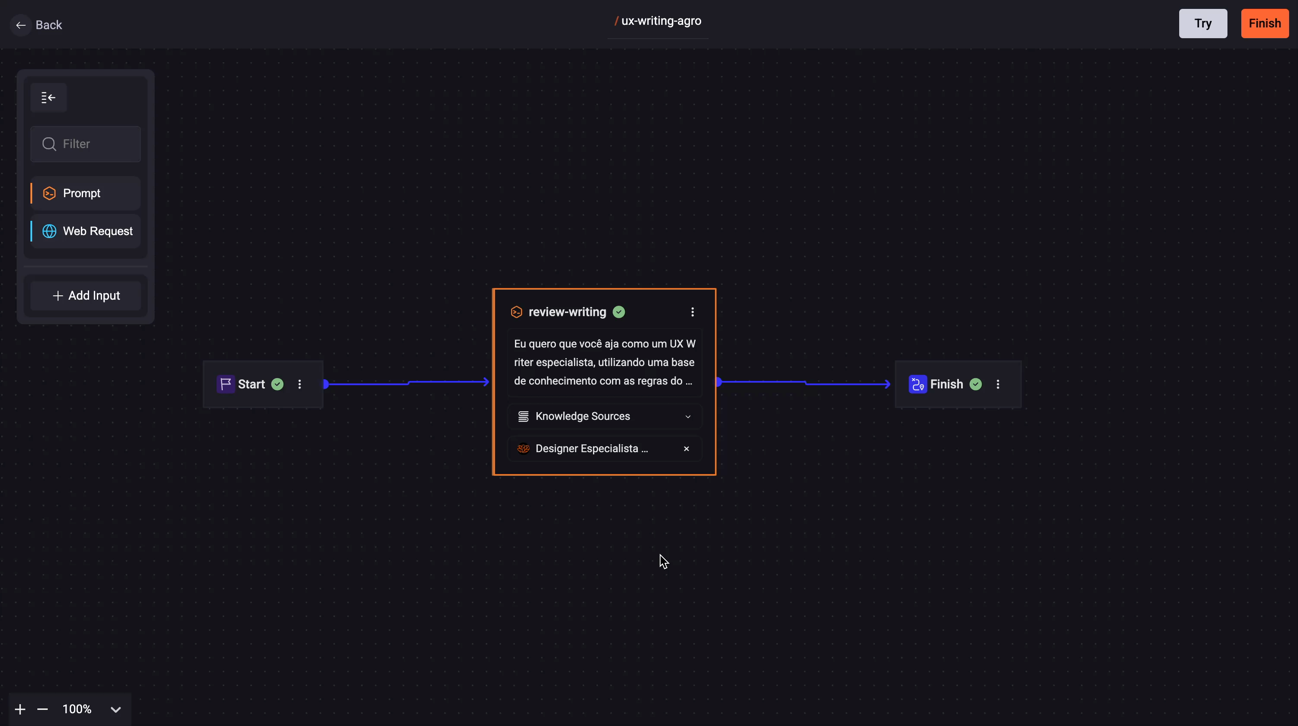
In addition, I also created a Quick Command (QC) for UX Writing specific to the industry, a feature that makes text reviews easier.
By using the QC, I can ensure clearer, more consistent communication aligned with client guidelines, promoting agility in content production and greater accuracy in messaging.
The Quick Command was especially useful for creating messages that follow the tone of voice used by clients. Instead of manually reviewing everything, I can now ensure that the content is well-written, in the right tone, and within expectations much faster.
Results achieved
The integration of StackSpot AI into our routine brought tangible benefits, going far beyond task automation. Check out the main results:
| Task | Time Before StackSpot AI | Time After StackSpot AI | Impact of StackSpot AI |
|---|---|---|---|
| Text and message review (UX Writing) | 3 hours per day | 1 hour per day | 67 percent reduction in time spent, thanks to the Quick Command that automates and improves texts. |
| Searching for information across multiple systems | 2 hours per day | 30 minutes per day | 75 percent reduction, with data centralized in the specialized knowledge base. |
| Creating presentations for the team | 5 hours per presentation | 2 hours per presentation | 60 percent time savings, with automatic structuring of scripts and relevant content. |
| Identifying behavior patterns | 6 hours per week | 2 hours per week | 67 percent reduction due to automated insight generation and facilitated strategic analysis. |
| Configuring custom agents | 4 hours per week | 1 hour per week | 75 percent reduction, with simplified and context-adaptable configuration. |
Reflections on using StackSpot AI
The greatest benefit I gained from StackSpot AI was not just efficiency, but clarity.
With fewer operational tasks, I was able to direct my energy toward what really matters: planning, analysis, strategy, and decisions that move the product forward.
StackSpot AI did not come to replace designers, but to increase our capacity to think, decide, and create more impact.
Tips for designers who want to adopt StackSpot AI
AI for design: more speed and depth
Using AI for design with StackSpot AI transformed my routine as a product designer.
With the platform, I was able to move out of operational mode and start working with more vision, speed, and depth. I also gained more time to focus on what matters most: making strategic decisions and being more precise in the solutions.
If you also believe in the power of technology to enhance creative work, I recommend exploring StackSpot AI and other AI tools. After all, the future of our work lies in using tools that expand and scale our capabilities.
Take advantage and create your free trial account on StackSpot AI. Just log in with your Google or GitHub account.
Tip: replace the button link with your official StackSpot AI free trial URL.